We’ve released several new updates across accessplanit this month, including a brand-new Outlook Add-in, new resource visibility fields, clash warnings, and additional payment options through Stripe.
Here’s everything that’s new in April.
Bring Outlook emails directly into accessplanit
We’ve launched a brand-new Outlook Add-in designed to help training providers keep customer communication connected to the rest of their training operations.
Instead of switching between Outlook and accessplanit, the add-in allows you to view key information from your platform directly within your inbox and link emails straight to records in accessplanit.
With the Outlook Add-in, you can:
- View Course, Booking, and Opportunity information alongside emails
- Link emails directly to records in accessplanit
- Create new Users and Accounts without leaving Outlook
- Keep communication histories connected and visible across your team
For teams handling lots of customer communication, booking updates, and operational changes throughout the day, this makes it much easier to keep context together instead of conversations sitting separately across inboxes.
Apple Pay, Google Pay, and Klarna are now available with Stripe
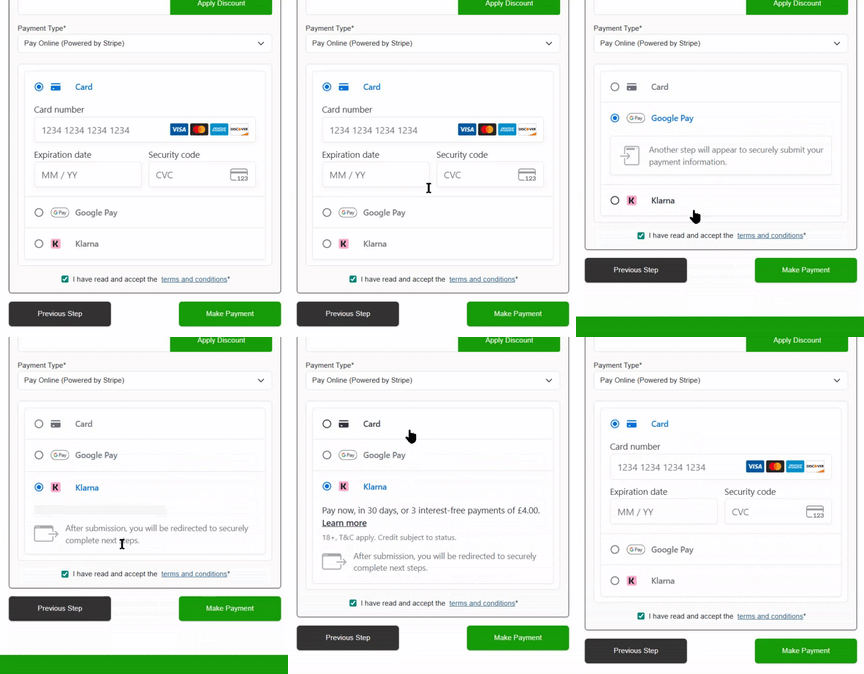
We’ve expanded the payment options available through Stripe in accessplanit Checkout.
Customers can now pay using:
- Apple Pay
- Google Pay
- Klarna
Once enabled in your Stripe account, these payment methods automatically become available within your Checkout basket with no additional setup required in accessplanit.
We’ve also updated the Stripe payment label in Checkout to “Pay Online (Powered by Stripe)” to better reflect the additional payment methods now available.
For training providers offering online self-service bookings, this gives customers more flexibility at checkout and helps create a quicker payment experience, particularly on mobile devices.
New ‘Session Issue’ field for sessional Courses

We’ve introduced a new ‘Session Issue’ field to help surface resource-related issues across sessional Courses much faster.
The field automatically checks whether any Session within a Course contains:
- Resource clashes
- Unavailability clashes
- Availability clashes
If any Session contains one of these issues, the parent Course will automatically display “Yes” within the new field.
This gives teams a much quicker way to identify Courses that may need attention without manually checking through individual Sessions.
The field is available across:
- DataGrids
- Report Engine
- Dashboards
- Workflow Rules
- API integrations
New ‘Resource Issue’ field for quicker visibility of allocation problems

We’ve also added a new ‘Resource Issue’ field.
Previously, resource allocation issues could be spread across multiple different indicators, making them easy to miss when managing busy schedules. This new field brings everything together into one simple visibility flag.
A Course will display “Yes” when it contains:
- Resource clashes
- Unavailability clashes
- Availability clashes
- Unallocated resource requirements
The field can be used across DataGrids, Dashboards, Reporting, Workflows, and API integrations.
For operations teams managing large numbers of Courses and Resources, this gives a much clearer view of which Courses need attention without having to piece information together manually.
New clash warnings when adding Resource unavailability
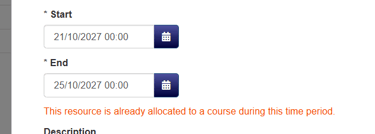
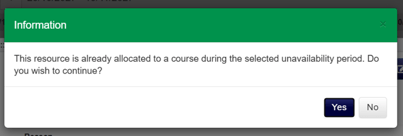
We’ve added new clash warnings when creating or editing Resource Unavailability records.
Now, if a Resource is already allocated to a Course during the same period, users will immediately see a warning message before saving the unavailability.
Admins can then choose whether to:
- Continue and save anyway
- Go back and make changes
Trainer users will also see the same warnings, with a new option allowing admins to decide whether Trainers can override clashes themselves or whether they must contact an admin instead.
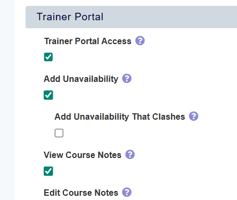
These warnings apply across both class and web Courses, including timed and all-day events.
For teams managing lots of moving parts across Trainers, venues, equipment, and schedules, this helps spot potential conflicts much earlier before they become operational problems.
Want to learn more about accessplanit?
Book a demo and we’ll walk through the platform, talk through your setup, and answer any questions you have along the way.