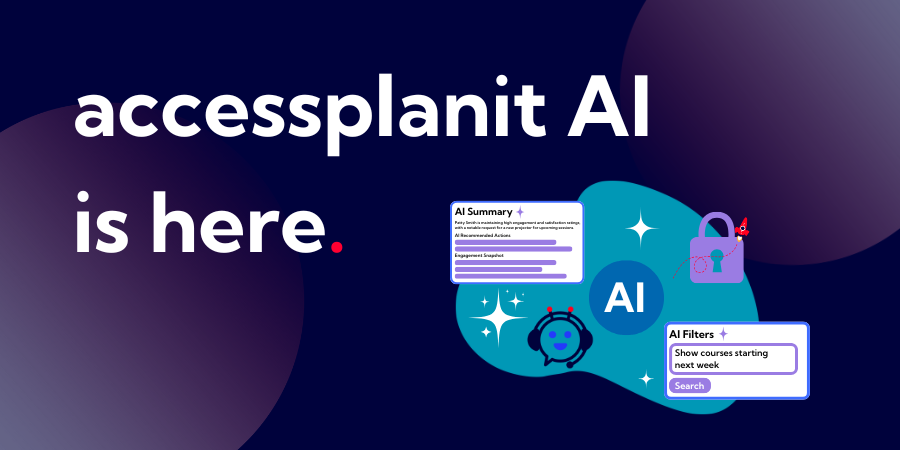
We’ve been working on something new in accessplanit, and we’re really pleased to finally share it.
We’ve introduced a set of AI features designed to make everyday training admin easier, supporting the core tasks training teams manage day in, day out.
Below is a practical rundown of what’s new, how these AI features work, and where they can save you and your team so much time across planning, delivery and reporting:
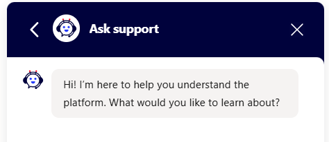
Get instant answers with Juno, your in-platform AI advisor
Juno is our in-platform AI advisor, available whenever you need guidance. You can ask questions in plain language and get immediate, contextual answers without leaving the page you’re working on.
You can use Juno to:
- Find out how a feature works
- Locate a specific setting
- Get step-by-step instructions for common tasks
- Understand where to report on key information
Whether you’re onboarding a new team member or just need a quick reminder, Juno helps you keep moving without breaking focus. Juno has been trained on our comprehensive Knowledge Base, giving you tailored answers to fit exactly what you're looking for.
Find the right data without building complex reports
Access to clear, reliable data is essential, but building filters and reports can take longer than it should.
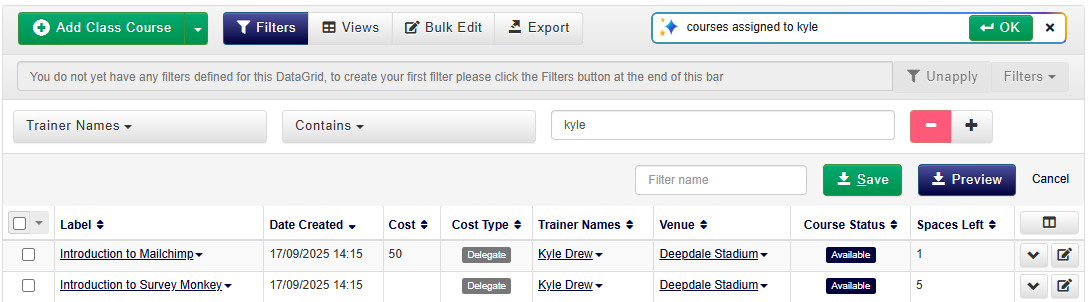
With AI-powered Smartview, you can simply type what you’re looking for and let the platform do the work.
For example, you might type:
- “Courses starting next week”
- “Delegates who haven’t paid”
- “Bookings made this month”
- “Show all financial information”
The platform interprets your request and automatically applies the relevant filters or updates the columns in your DataGrid.
You can still refine things manually if you want, but AI helps you get to the right view faster, especially when you need answers quickly.
Set up smarter workflows using natural language
Automated workflows are one of the most effective ways to reduce admin, but defining the right rules can sometimes feel fiddly or time-consuming, especially for new users.
AI within accessplanit workflows lets you describe the rules you want in plain language. The platform then translates that into the appropriate criteria for you.
You can use this to:
- Trigger emails or tasks for specific course types
- Exclude cancelled or on-hold activity
- Target delegates or courses that meet certain conditions
This makes it easier to set up automation with confidence, while still giving you full control to review and adjust the rules if needed.

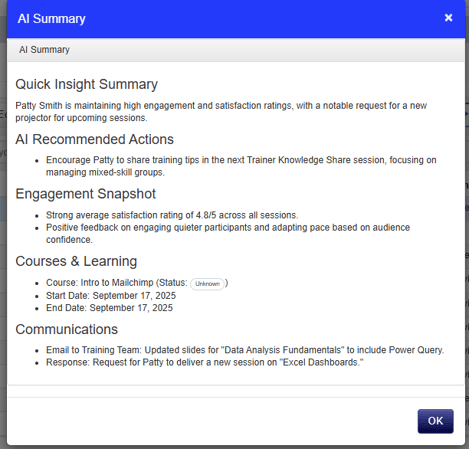
Get a clear overview with one-click summaries
Training platforms naturally hold a lot of information: notes, communications, tasks, invoices, bookings and outcomes. Pulling that together can take time.
AI summaries give you a clear, readable overview of key information with a single click.
You can generate summaries across areas such as:
- Accounts
- Courses
- Delegates
- Users and trainers
- Opportunities
- Workflow errors
Instead of clicking through multiple pages, you can quickly understand what’s happening, what’s outstanding, and where attention is needed.
This is especially useful when reviewing accounts, preparing for conversations, investigating issues, or handing work between team members.
Use AI that fits your training operation
accessplanit’s AI features are designed to support real training environments.
Whether you deliver regulated training, manage high volumes of commercial courses, or coordinate complex programmes across venues and trainers, AI works alongside your existing processes rather than adding extra complexity.
The focus is on helping you spend less time navigating systems and more time delivering high-quality training.
Your data stays secure
When you use AI features in accessplanit, your data is handled with the same robust security standards as the rest of the platform - you can learn more about our security here!
AI summaries use only the specific fields required to generate each summary. Sensitive information such as passwords or payment card details is never included.
Data is processed securely, used only for the specific request, and not stored or reused. Outputs are visible only to authorised users within your platform.
Frequently asked questions
Do you need to install anything?
No. AI functionality is native to the platform and available as soon as it’s enabled.
Can you still use the platform without AI?
Yes. AI enhances existing features but doesn’t replace them. You remain in full control of how and when you use it.
Can AI-created filters and workflows be edited?
Yes. You can review and adjust any filters or rules created using AI.
Is your data secure when using AI?
Yes. Only the data required for each request is processed, and it’s handled securely in line with accessplanit’s platform standards.
Want to see it for yourself?
If you’re curious about how these AI features work in practice, or you’re exploring how accessplanit could support your team more generally, we’d love to show you around!
Book a demo and we’ll walk through the platform, talk through your setup, and answer any questions you have along the way.